Create Flashcards in Seconds
Highlight text on any webpage, create a flashcard in one click, and review with FSRS-5 spaced repetition. Your saved words even get highlighted on every site you visit.
Add to Chrome — It's Free★ 5.0 rating • 216+ users
Everything you need to study smarter
One-Click Creation
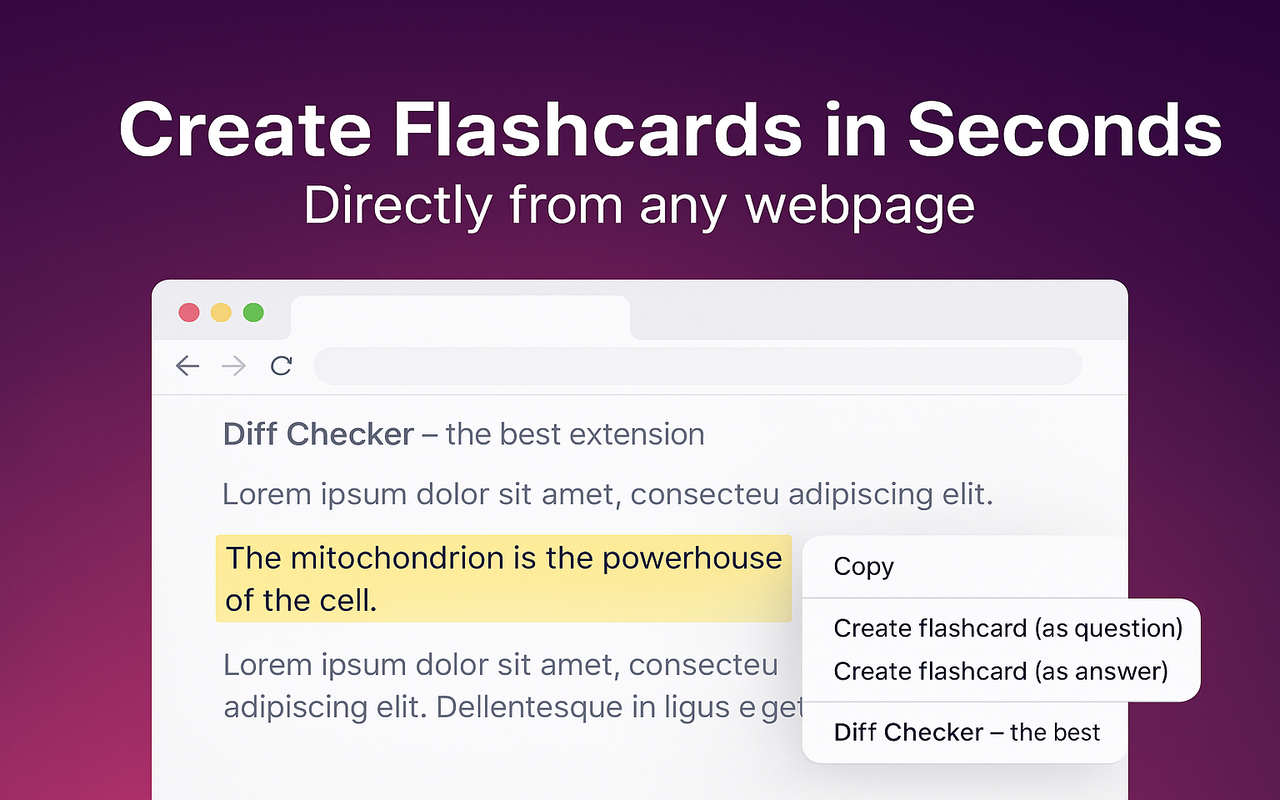
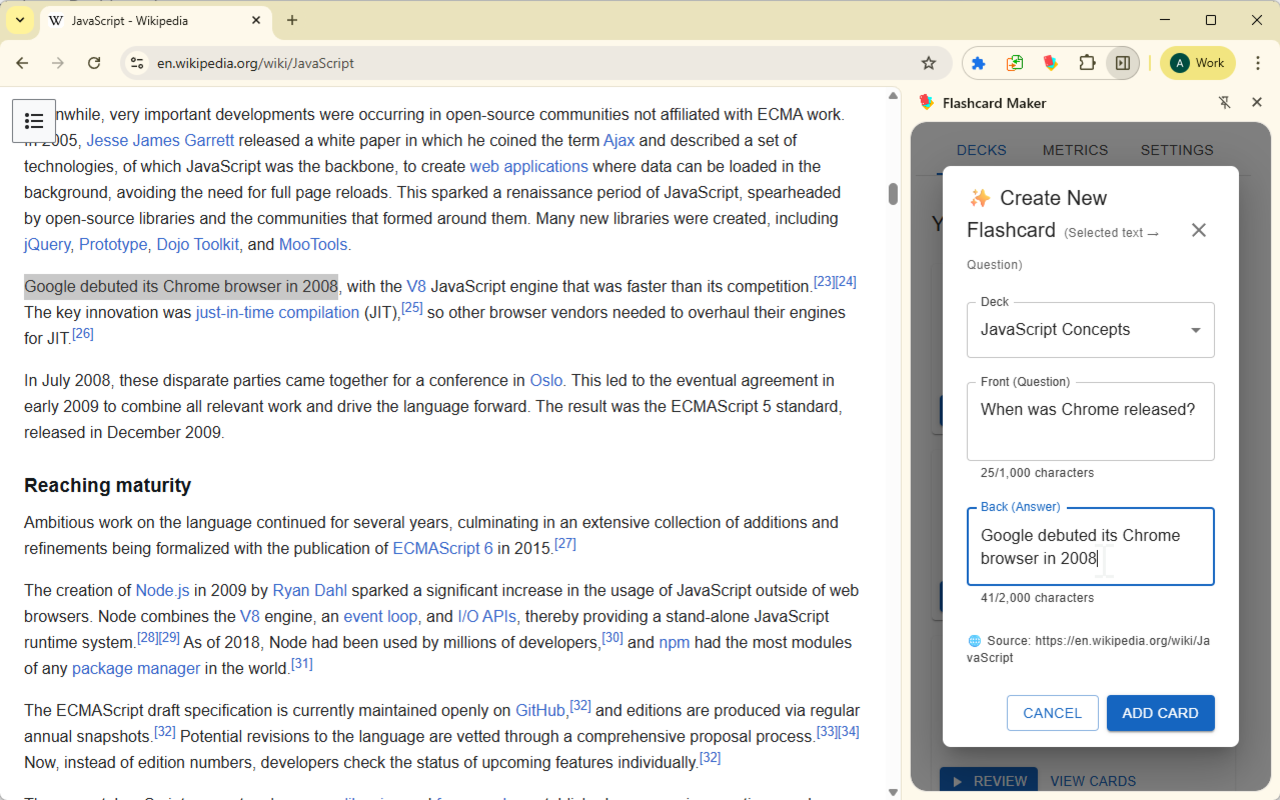
Highlight text on any webpage, right-click, and create a flashcard. Add tags, pick a deck — done in seconds.
FSRS-5 Spaced Repetition
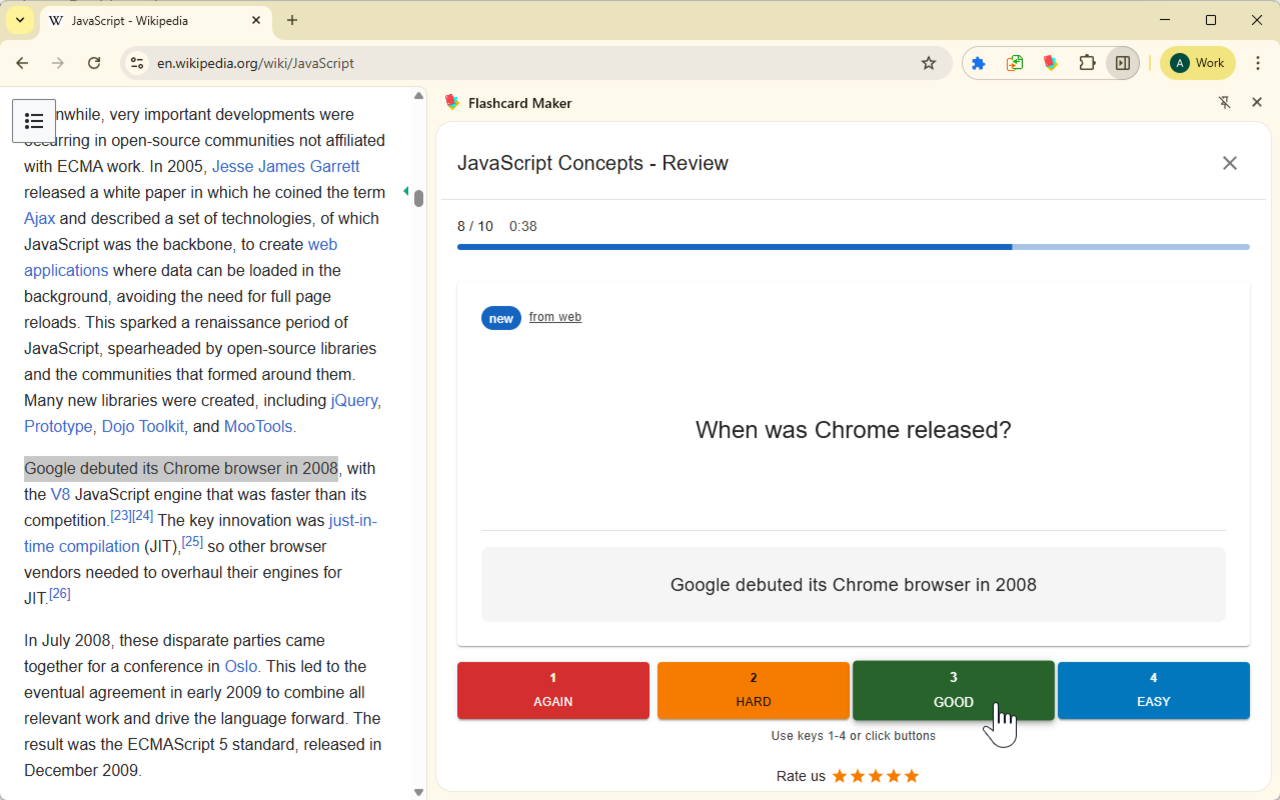
The same algorithm used by Anki. Cards reappear at the optimal moment before memory slips, adapting to your performance.
Immersion Mode
Your saved words get highlighted on every webpage you visit. Hover to see the answer. Learn passively while browsing.
Tags & Organization
Label cards with tags, filter by tag, and review specific topics. Auto-tagging from source websites keeps things organized.
Chrome Side Panel
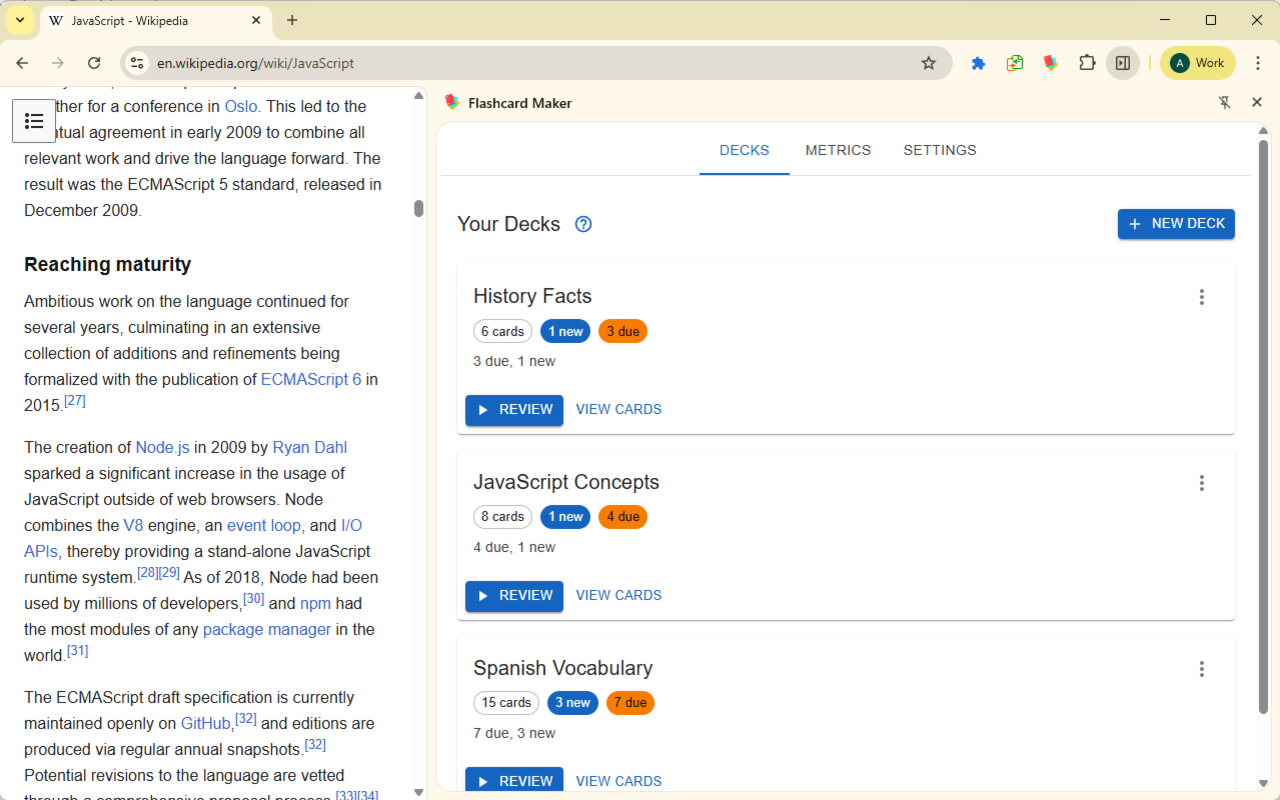
Study without losing page context. Review with keyboard shortcuts, swipe gestures, and a 4-rating system.
Decks with Custom Colors
Organize cards into color-coded decks with per-deck settings, immersion toggles, and load smoothing to prevent burnout.
Study Analytics
Track retention rate, review forecasts, and activity trends. Real review data feeds back into the algorithm.
Private & Offline
All data stays in your browser — no server, no account. Dark mode, text-to-speech, and 52 languages built in.
See It in Action

How It Works
Start creating flashcards in under a minute.
Install the Extension
Add Flashcard Maker to Chrome in one click. Free and lightweight.
Select Text on Any Page
Highlight any text on a webpage, right-click, and create a flashcard. Add tags and pick a deck.
Create & Study Flashcards
Study with spaced repetition and see your saved words highlighted across the web with immersion mode.